Artificial Intelligence is becoming part of everyday work. From chatbots and content writing to coding help and automation, AI tools are everywhere. Most people use cloud-based AI services, but there is another option that gives more privacy and control — Ollama.
If you ever wanted to run AI models directly on your own PC without depending fully on online services, Ollama makes that possible.
What Is Ollama?
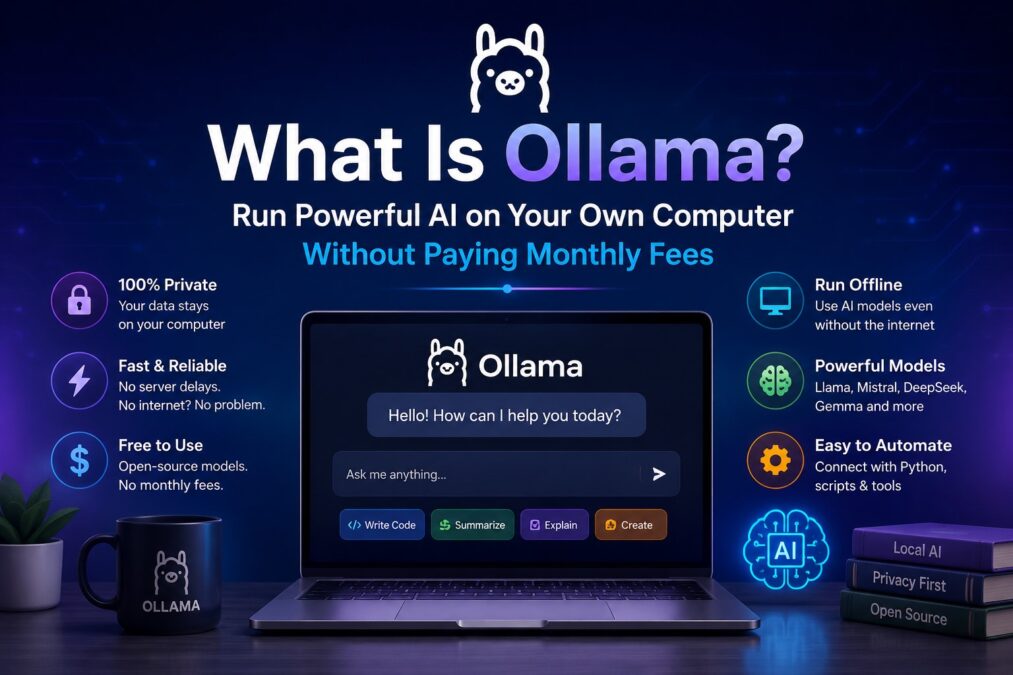
Ollama is a lightweight tool that lets you run powerful AI models locally on your computer.
Instead of sending your data to external servers, Ollama allows AI models to work directly from your machine. You can chat with AI, generate content, write code, summarize documents, and even automate tasks without needing expensive cloud systems.
Think of it like this:
- ChatGPT = AI mostly running on online servers
- Ollama = AI running on your own computer
Why Are People Using Ollama?
Many users prefer Ollama because it is:
1. Private
Your files and conversations stay on your system.
2. Fast
No waiting for browser loading or server delays once the model is installed.
3. Offline Friendly
Many models can work even without internet access after setup.
4. Free to Use
Most AI models available through Ollama are open-source.
5. Great for Automation
Businesses and IT users can automate tasks using AI locally.
How Does Ollama Work?
Ollama downloads AI models to your computer and runs them locally.
A model is basically the “brain” of the AI.
Popular models include:
- Llama
- Mistral
- DeepSeek
- Gemma
- CodeLlama
Once installed, you can interact with them using simple commands.
Example:
ollama run llama3This launches the AI model on your PC.
You can then ask questions like:
- “Write an email”
- “Summarize this document”
- “Help me fix this code”
- “Explain networking basics”
What Kind of Computer Do You Need?
Ollama can run on normal modern computers, but better hardware gives better performance.
Recommended:
- 16GB RAM or more
- SSD storage
- Modern CPU
- NVIDIA GPU helps for faster AI processing
Even basic laptops can run smaller models.
Real-Life Uses of Ollama
Here are some practical ways people use it:
IT Support Automation
Generate troubleshooting steps automatically.
Content Writing
Create blog posts, emails, and social media captions.
Coding Assistant
Help developers write and debug code.
Customer Support
Build AI chatbots for websites.
Internal Company AI
Companies can keep sensitive data private while using AI internally.
Example: Automating Tasks With Ollama
This is where things become powerful.
You can connect Ollama with scripts, websites, or automation tools.
For example:
Automatically Reply to Emails
AI can draft replies based on incoming messages.
Generate Reports
Feed system logs into AI and receive summaries.
Website Chatbots
Create a smart chatbot for your business website.
AI Tech Support
A company like FixieIT.com could use Ollama to build a local AI assistant that helps users troubleshoot PC problems instantly.
Can Ollama Work With Python?
Yes. This is one of the biggest advantages.
Developers often connect Ollama with Python scripts to automate work.
Simple workflow:
- Python script sends a request
- Ollama processes it
- AI returns the answer
- Script performs an action automatically
This can automate:
- File sorting
- Ticket responses
- System monitoring
- Data analysis
- Content generation
Is Ollama Safe?
Ollama itself is generally considered safe when downloaded from the official website.
However:
- Only download trusted AI models
- Keep your system updated
- Do not expose local AI servers publicly without protection
Since the AI runs locally, privacy is often better than many cloud-based alternatives.
Is Ollama Better Than ChatGPT?
Both have different uses.
| Feature | Ollama | ChatGPT |
|---|---|---|
| Works Offline | Yes | Mostly No |
| Privacy | High | Cloud Based |
| Easy for Beginners | Medium | Very Easy |
| Requires Strong PC | Yes | No |
| Automation Flexibility | High | Medium |
| Setup Required | Yes | Minimal |
Final Thoughts
Ollama is making local AI easier for normal users, IT professionals, and businesses. Instead of relying completely on cloud AI services, users can now run intelligent AI models directly on their own computers.
For IT companies, automation experts, and tech enthusiasts, this opens many possibilities:
- Private AI assistants
- Automated support systems
- Smart business tools
- Local AI chatbots
- Faster workflows
As AI continues growing, tools like Ollama are helping people take more control over how they use artificial intelligence.