
In the fast-paced world of business management software, Odoo stands out as a powerhouse. If you’re running a small startup or a growing enterprise, you’ve likely heard of it—or maybe you’re just dipping your toes into ERP systems. Odoo is an open-source suite of business applications that covers everything from CRM and e-commerce to accounting, inventory, and project management. It’s modular, meaning you can pick and choose what you need, and it’s gained massive popularity for its flexibility and cost-effectiveness. But what really sets Odoo apart? And how do you get it up and running? In this article, we’ll dive into why Odoo is worth considering and explore various installation options, including cloud-based setups, on-premise deployments, and hosting on platforms like Digital Ocean and Azure. Whether you’re a tech-savvy IT manager or a business owner looking for straightforward solutions, this guide is tailored for you.
Why Choose Odoo? The Benefits That Make It a Top Pick
Before we get into the nuts and bolts of installation, let’s talk about why Odoo has become a go-to for over 7 million users worldwide. At its core, Odoo is designed to streamline operations without breaking the bank. Here’s why it’s being used by businesses of all sizes:
- All-in-One Platform: Unlike siloed software, Odoo integrates multiple apps seamlessly. Need to track sales leads, manage stock, or handle HR? It’s all in one place, reducing the hassle of juggling different tools.
- Open-Source Freedom: The Community Edition is free, and you can customize it endlessly. For more advanced features like mobile apps or third-party integrations, there’s the Enterprise Edition, which is still affordable compared to giants like SAP or Oracle.
- Scalability: Start small and grow. Odoo handles everything from solo entrepreneurs to large corporations, with options to add modules as your needs evolve.
- Cost Savings: No hefty licensing fees for the basics, and hosting can be as cheap as a few dollars a month on cloud providers. Plus, it cuts down on manual processes, saving time and money in the long run.
- Community and Support: A vibrant global community means plenty of resources, forums, and partners for help. If you go Enterprise, you get official support from Odoo itself.
In short, Odoo is ideal for businesses that want control, customization, and efficiency without the complexity of traditional ERPs. It’s particularly popular among SMEs in e-commerce, manufacturing, and services, where adaptability is key. Now, let’s look at how to deploy it.
Installation Options: From Cloud Simplicity to Full Control
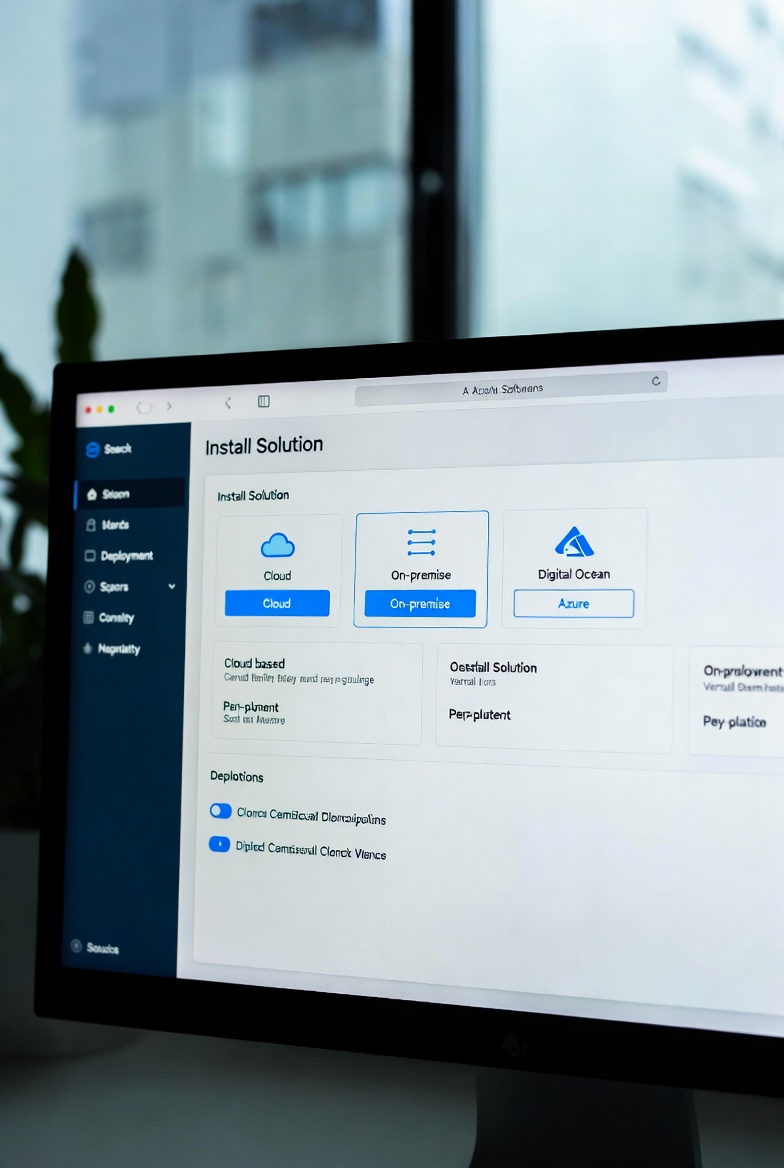
Odoo offers flexible deployment models to suit different technical expertise and business requirements. You can go fully managed in the cloud for ease, or self-host for maximum customization. Below, we’ll cover the main types, including specifics for Digital Ocean and Azure.
1. Cloud-Hosted (SaaS): The Easiest Way to Get Started
If you’re not keen on managing servers, Odoo’s SaaS option—known as Odoo Online—is a no-brainer. This is a fully cloud-based service where Odoo handles everything: hosting, updates, backups, and security.
- How It Works: Sign up on odoo.com, choose your apps, and you’re live in minutes. No downloads or installations required—just access it via your web browser.
- Pros: Automatic upgrades to the latest version (like Odoo 18 or beyond), built-in scalability, and 99.9% uptime. It’s great for beginners or teams without IT staff.
- Cons: Limited customization compared to self-hosted versions, and data is on Odoo’s servers (though compliant with GDPR and other standards).
- Cost: Starts free for one app, then scales with users and modules—typically $20–$50 per user/month for Enterprise.
Another cloud variant is Odoo.sh, a platform-as-a-service (PaaS) that’s more developer-friendly. It includes Git integration for custom code and staging environments, making it perfect for teams building tailored solutions.
2. On-Premise: Full Control on Your Own Infrastructure
For those who prefer keeping data in-house, on-premise installation lets you run Odoo on your local servers or private hardware. This is the classic self-hosted approach.
- How It Works: Download the Odoo package from the official site (supports both Community and Enterprise editions). Install it on a server running Linux (Ubuntu recommended), PostgreSQL database, and Python. You’ll need to configure the environment, set up domains, and handle maintenance yourself.
- Pros: Total data sovereignty, unlimited customizations, and no recurring hosting fees beyond your infrastructure. Ideal for industries with strict compliance needs, like finance or healthcare.
- Cons: Requires technical know-how for setup, updates, and security. Hardware costs can add up if you’re not using cloud servers.
- Cost: Free for Community Edition; Enterprise adds licensing fees based on users/apps.
Many businesses blend on-premise with cloud by hosting on virtual private servers (VPS), which brings us to the next options.
3. Deploying on Digital Ocean: Affordable Cloud VPS for Self-Hosting
Digital Ocean is a popular cloud provider known for its simplicity and low-cost droplets (virtual servers). It’s an excellent choice for on-premise-style Odoo deployments with cloud benefits like easy scaling.
- How It Works: Create a Digital Ocean account, spin up an Ubuntu droplet (start with 2GB RAM for small setups), and follow Odoo’s installation guide. Install dependencies like PostgreSQL and Nginx, then pull Odoo from GitHub or packages. Tools like Cloudpepper can automate this for managed hosting on Digital Ocean.
- Pros: Pay-as-you-go pricing (droplets from $5/month), fast SSD storage, and global data centers for low latency. Great for startups testing Odoo without long-term commitments.
- Cons: You’re responsible for backups and security, though Digital Ocean offers snapshots and firewalls.
- Cost: Basic setup around $10–$50/month, plus Odoo Enterprise if needed. For production, aim for higher specs to handle user load.
This setup gives you the flexibility of on-premise but with cloud reliability—perfect for growing businesses.
4. Deploying on Azure: Enterprise-Grade Cloud for Robust Deployments
Microsoft Azure is a heavyweight in cloud computing, offering deep integration with other Microsoft tools. It’s suited for larger enterprises wanting scalable, secure Odoo hosting.
- How It Works: Use Azure Virtual Machines to create a Linux VM, then install Odoo similarly to on-premise. Azure Marketplace has pre-configured Odoo images for quicker setup. For advanced needs, leverage Azure Kubernetes Service (AKS) for containerized deployments or Azure Database for PostgreSQL.
- Pros: Seamless scaling with auto-scaling groups, built-in security features like Azure Active Directory, and hybrid options if you have on-prem elements. Integrates well with Office 365 or Power BI for enhanced analytics.
- Cons: Steeper learning curve and potentially higher costs for complex setups. Not as straightforward as Digital Ocean for beginners.
- Cost: VMs start at $0.01/hour (about $7/month for basics), but factor in storage and data transfer. Enterprise Odoo adds to that.
Azure shines for businesses already in the Microsoft ecosystem or needing high availability.
Wrapping Up: Is Odoo Right for Your Business?
Odoo isn’t just software—it’s a toolkit for business transformation. Whether you opt for the hassle-free cloud SaaS, a controlled on-premise setup, or cloud-hosted options like Digital Ocean for affordability or Azure for enterprise muscle, the key is matching the deployment to your needs. If you’re focused on quick wins, start with Odoo Online. For customization and control, self-hosting on a VPS is the way to go.
At FixieIT.com, we believe in empowering businesses with practical tech insights. If you’re ready to implement Odoo or need help migrating, drop a comment below or reach out—let’s make your operations smoother! Stay tuned for more guides on ERP trends and tools.